Quick Start Guide
Everything you need to launch your 3D print business. From zero to accepting orders in under 10 minutes.
PrintPort3D is manufacturing infrastructure for product entrepreneurs. You design the products, set your prices, and handle your customers. We handle everything else—production, quality control, packing, and shipping—completely hands-off.
$0 to start
No subscription fees, no setup costs. You only pay when you make a sale.
Zero inventory
Products are made on-demand when your customers order. No minimums, no storage.
Instant fulfillment
Orders automatically route to production. Most items ship within 2-3 business days.
Keep 100% markup
Set any price you want. We charge wholesale rates, you keep the difference.
Setup in 5 steps
The entire setup takes about 5-10 minutes. Every step can be skipped and completed later from Settings.
Create your account
Head to printport3d.com/signup and create your account with email or Google.
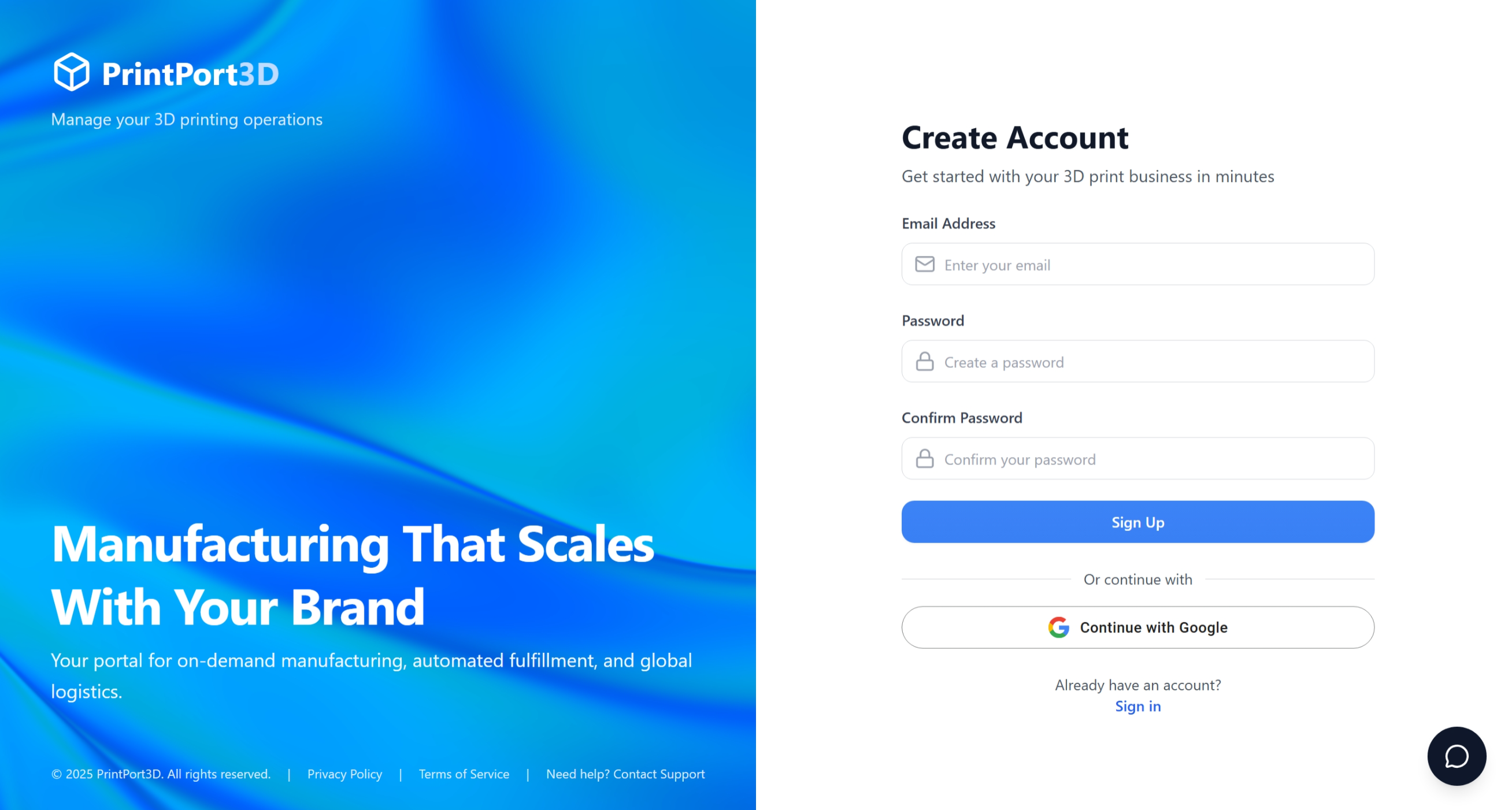
Account creation screen
Connect your e-commerce store
Select your platform—Shopify, Etsy, Amazon, WooCommerce, and more are supported.
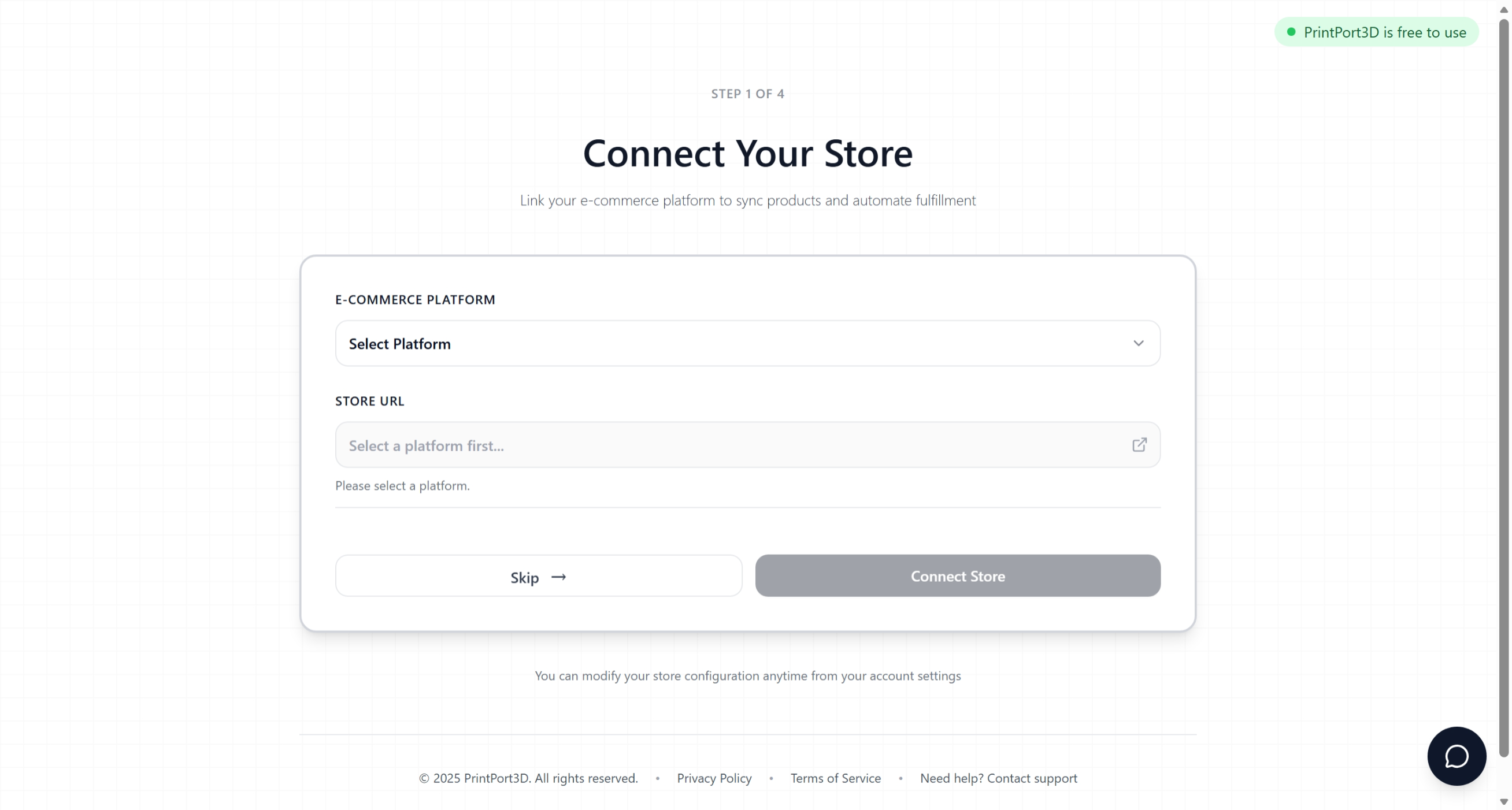
Store connection screen
Don't have a store yet?
Authorize Shippo
Shippo bridges your storefront with our production—enabling automatic order sync, tracking, and discounted shipping.
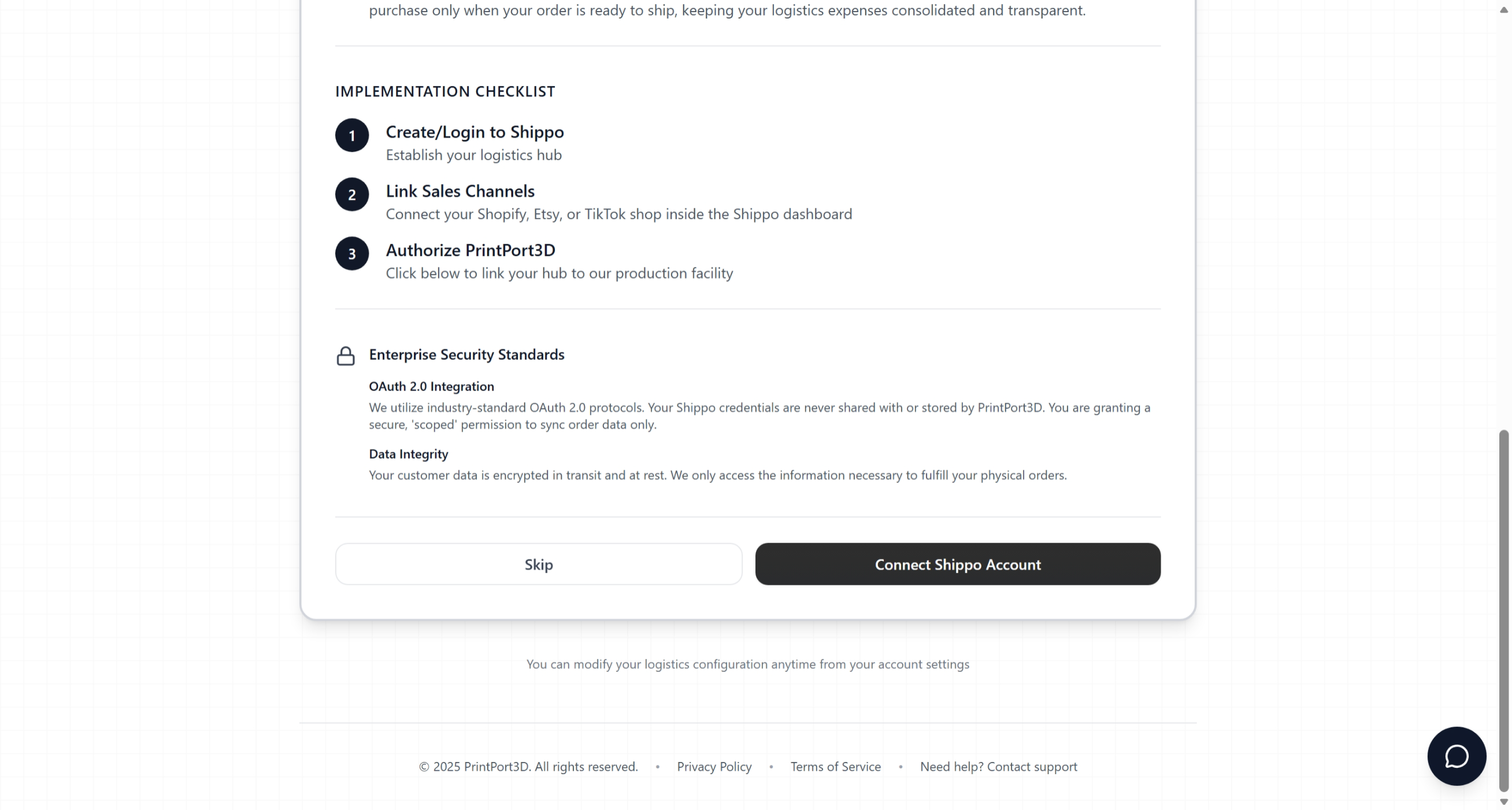
Shippo authorization screen
What Shippo enables:
- Automatic order import — Orders flow directly from your store to production
- Tracking sync — Tracking numbers push back to your store automatically
- Wholesale rates — Access discounted USPS, UPS, and FedEx shipping
Link your store to Shippo
After authorizing Shippo, connect your store inside the Shippo dashboard. This enables automatic order syncing.
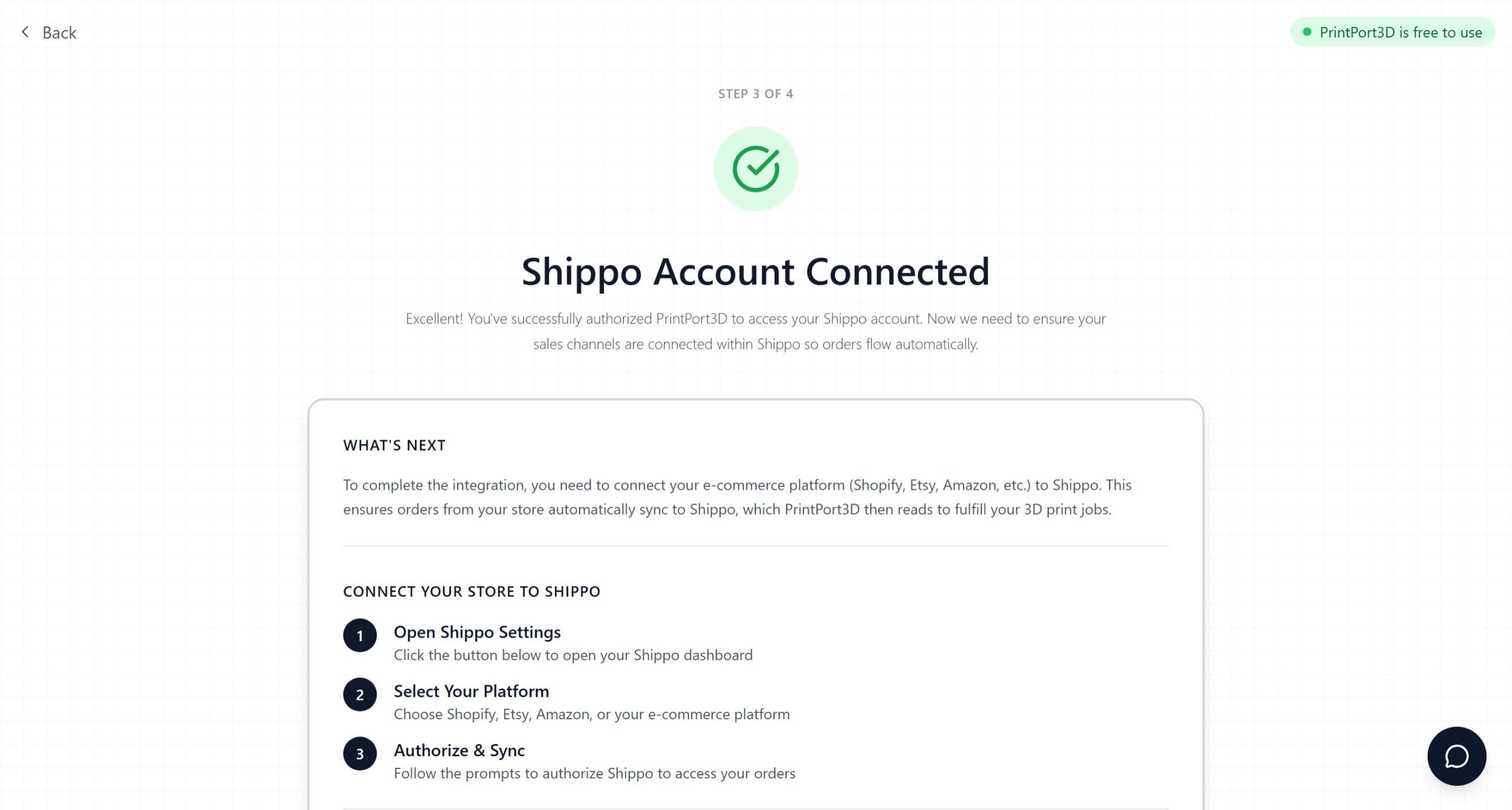
Shippo store connection
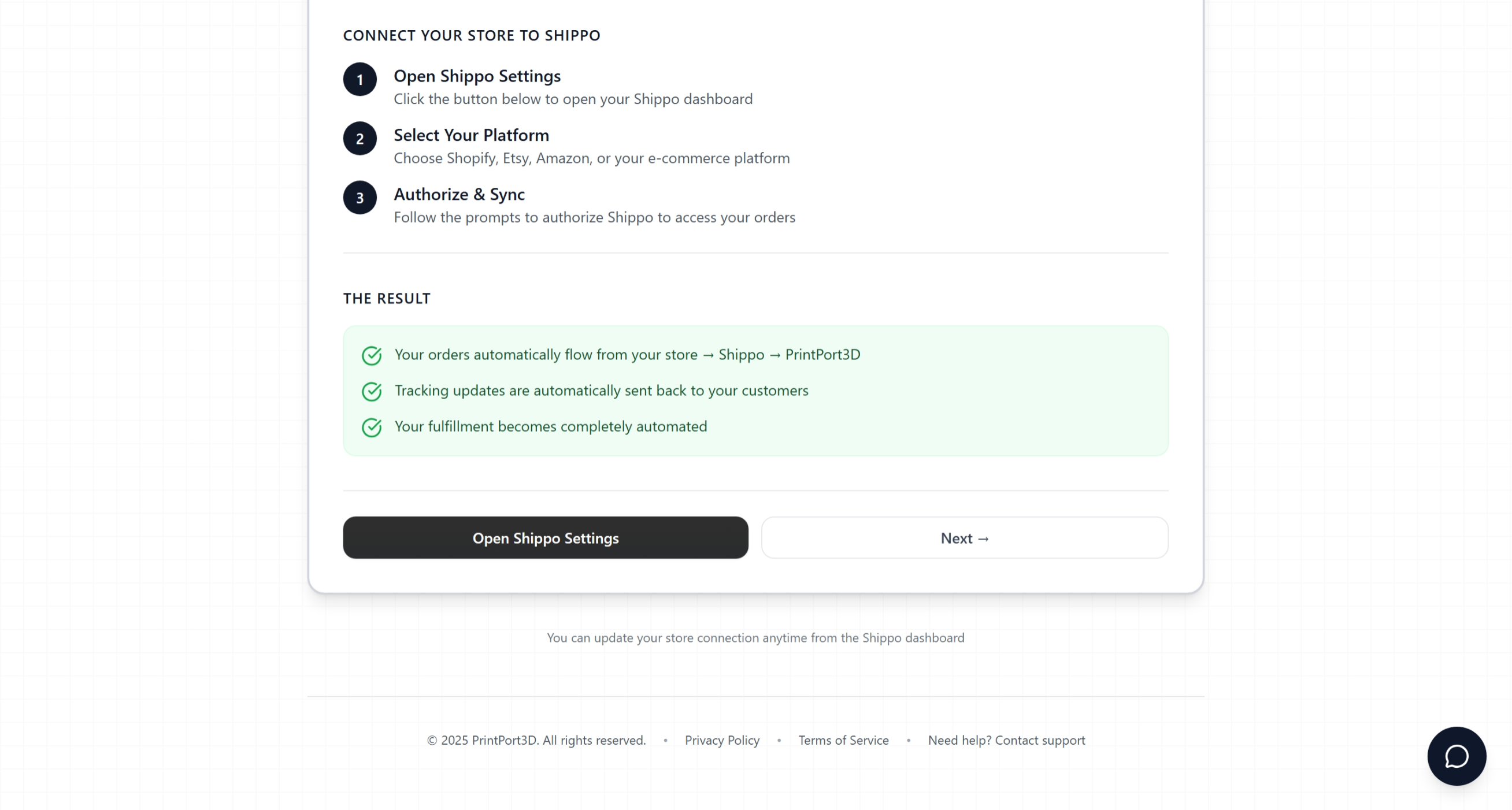
Store connected confirmation
Add a payment method
Add a card for production and shipping costs. You're only charged when orders ship—no monthly fees.
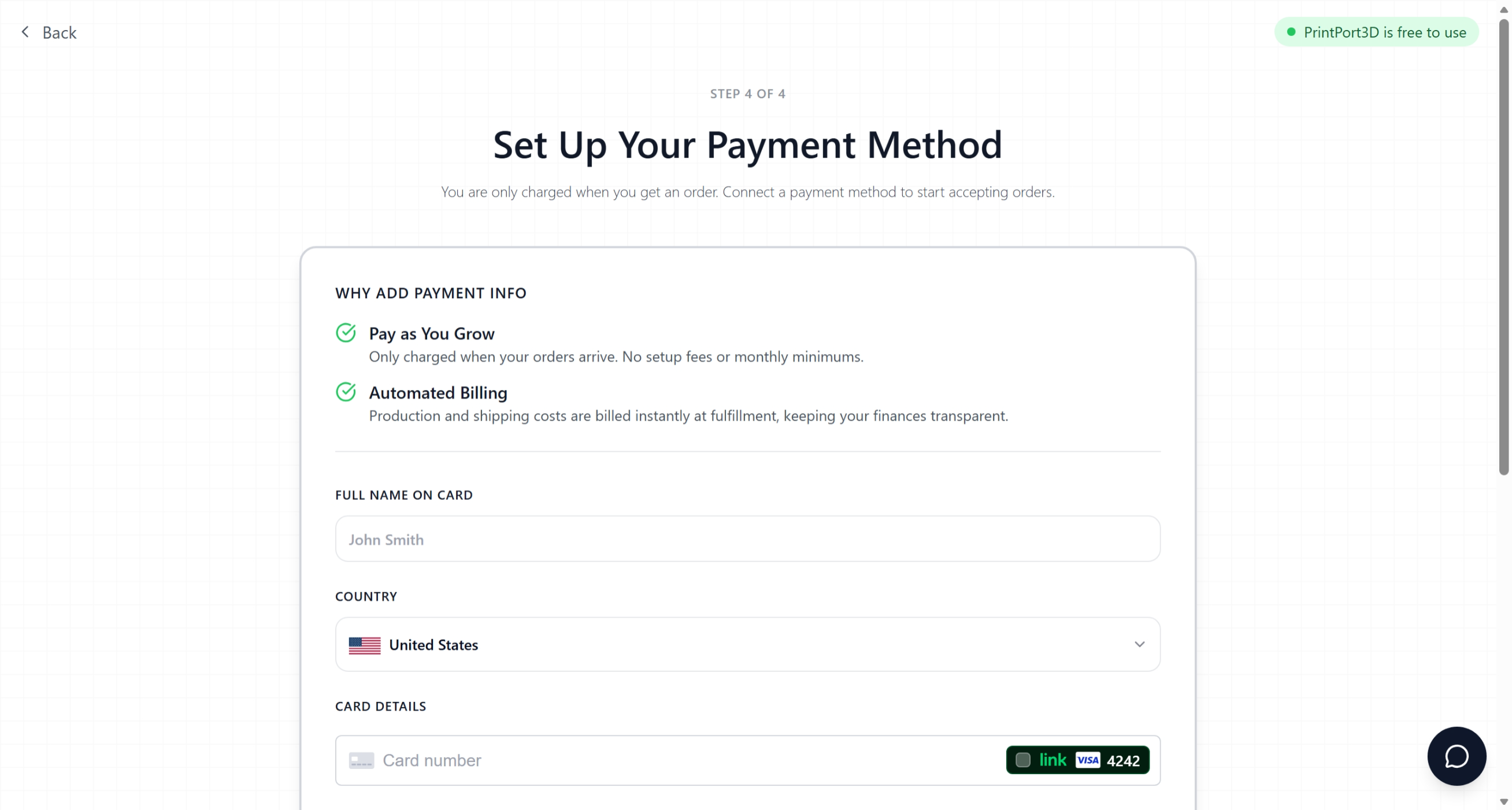
Payment method setup
Pay-as-you-go billing
You're ready to go
After setup, you'll land on your dashboard where you can upload files and create products.
Common questions
Do I need my own 3D printer?
No. We operate a professional print farm—you just upload designs, we handle manufacturing.
What file formats do you accept?
STL, OBJ, 3MF, and STEP. Max 500MB, parts must fit within 256 × 256 × 256mm.
How fast do orders ship?
Most orders ship within 2-3 business days. Track production status in real-time from your dashboard.
What if I don't have a store?
You can use PrintPort3D without a store connection for custom orders through our order form.