How you get paid
How money moves on a PrintPort3D sale: who pays whom, when your card is charged, and why there is no payout.
5 min read
Your customer pays you through your own store. PrintPort charges your card to make each order. PrintPort never pays you, so there is no payout, no wallet, and no waiting to receive your money.
Overview
A single sale moves money in several directions at once. Review all of them together before looking at any one piece in detail.
- Your customer pays you. When someone buys from your store, they pay your full retail price directly to you, into your Shopify, Etsy, or other channel account. That money never touches PrintPort. PrintPort only sees the order total and shows it as an estimate.
- PrintPort charges your card the make cost. To print and pack the order, PrintPort charges the card you saved. The charge covers material and labor, and nothing else.
- The shipping label bills separately. On store orders, the label is bought on your own connected Shippo account, not on your PrintPort card.
There is no payout
Who pays whom
Every marketplace order involves three money movements. Only one of them lands on your PrintPort card.
On a marketplace order, the make cost is the only thing that reaches your PrintPort card.
| Money movement | From → to | On your PrintPort card? |
|---|---|---|
| The sale | Your customer → you, through your store | No — you keep it |
| The make cost | PrintPort → your saved card | Yes |
| The shipping label | Shippo → your own Shippo account | No |
| A custom order | Whoever places it (normally you) → PrintPort, prepaid at checkout | No — your card is untouched |
- The saleFrom → toYour customer → you, through your storeOn your PrintPort card?No — you keep it
- The make costFrom → toPrintPort → your saved cardOn your PrintPort card?Yes
- The shipping labelFrom → toShippo → your own Shippo accountOn your PrintPort card?No
- A custom orderFrom → toWhoever places it (normally you) → PrintPort, prepaid at checkoutOn your PrintPort card?No — your card is untouched
Custom orders (Order parts) work differently. You place them yourself — a sample, or a run of up to 500 parts — and the full total — parts and shipping — is prepaid at checkout by whoever places the order, normally you. Your card is never charged for a custom order, and its shipping label is already paid.
What PrintPort charges your card
The charge is the make cost: what it costs to produce one unit. Material and labor are grounded in the actual slice of your model; hardware and assembly are added only when you choose them.
- Material is the stocked price per gram of your chosen filament, multiplied by the sliced weight of the model. It is not a flat rate. A heavier print or a more expensive filament costs more.
- Labor is $3.00 per print-hour, pro-rated for prints under an hour. A 30-minute print is $1.50.
- Order minimum is $2.00. If everything in an order adds up to less than that to make, the charge is $2.00. It applies once per order, not per unit.
Hardware such as a MagSafe ring, magnets, threaded inserts, or screws adds its part price with no extra labor. Adding hardware is a per-product choice. Assembly is too: when a unit has two or more pieces, the composer asks whether to put it together before it ships, for $1.00 per part. Choose ship it loose and nothing is added.
Shipping is never part of this charge
When your card is charged
Your card is charged at label purchase, not when the order is placed. PrintPort runs three steps in order.
- 1
Authorize a hold
PrintPort places a temporary hold on your main card for the make cost. A hold is not a charge. No money has moved yet. - 2
Buy the shipping label
PrintPort buys the cheapest label on your connected Shippo account. The order ships from the PrintPort warehouse. - 3
Capture the charge
Once the label succeeds, the hold is captured, and that is the moment your card is charged. If the label fails, the hold is cancelled and you pay nothing.
By default, orders wait for you. PrintPort makes each order only after you approve it. Until then the order sits as Held for approval and nothing is charged. Enable automatic fulfillment to run this sequence on its own the moment a sale lands.
If a charge fails
Your net profit
Combine the three movements and your profit on a store order is straightforward.
Net profit ≈ what your customer paid − the make cost − your shipping label.
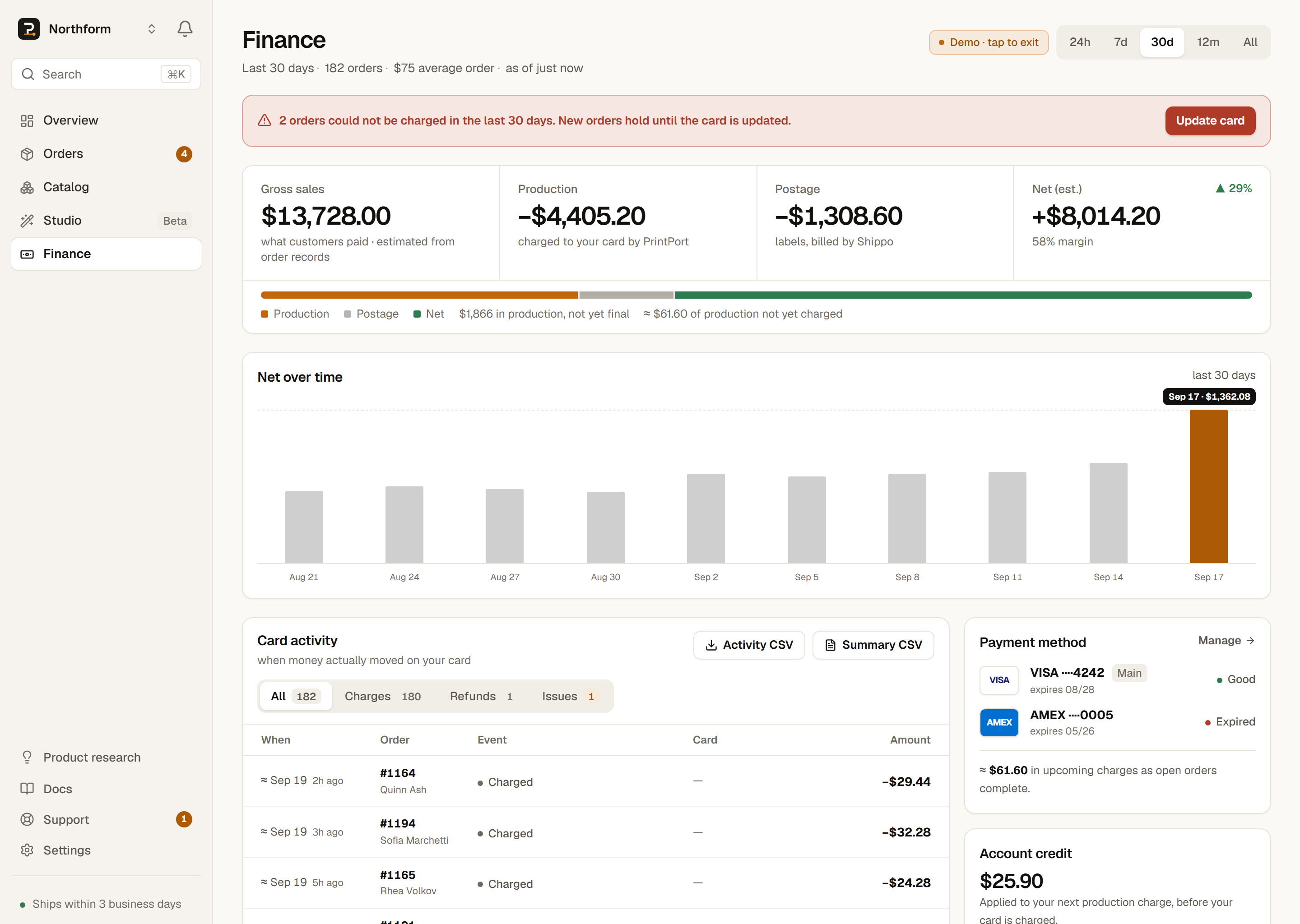
Two of those numbers are estimates, and PrintPort labels them as such. The customer total is what your marketplace reported, not a settled payout, so the Finance page marks revenue “est.” The label cost is the live Shippo rate at purchase.
A customer buys your phone stand for $24.99 and pays you through your Shopify store. PrintPort slices the model at 24 g of PLA Basic and about 1.4 print-hours.
- Your customer paid you $24.99 (an estimate — your marketplace total).
- PrintPort charged your card the make cost: $4.68.
- Your Shippo account paid the label: about $6.14 (a typical US parcel; the real label is quoted live).
Net profit ≈ $24.99 − $4.68 − $6.14 = $14.17. There is no payout to wait on. You already have the $24.99 in your store account, and the $4.68 and $6.14 in costs came out along the way.
PrintPort performs this math for you. The Finance page shows “Customers paid,” “You paid” (split into PrintPort make-cost and Shippo labels), and your net profit for any window.